Board Sense
LiveChess / Learning Tool
A chess intuition visualizer that makes the invisible pressure board visible.
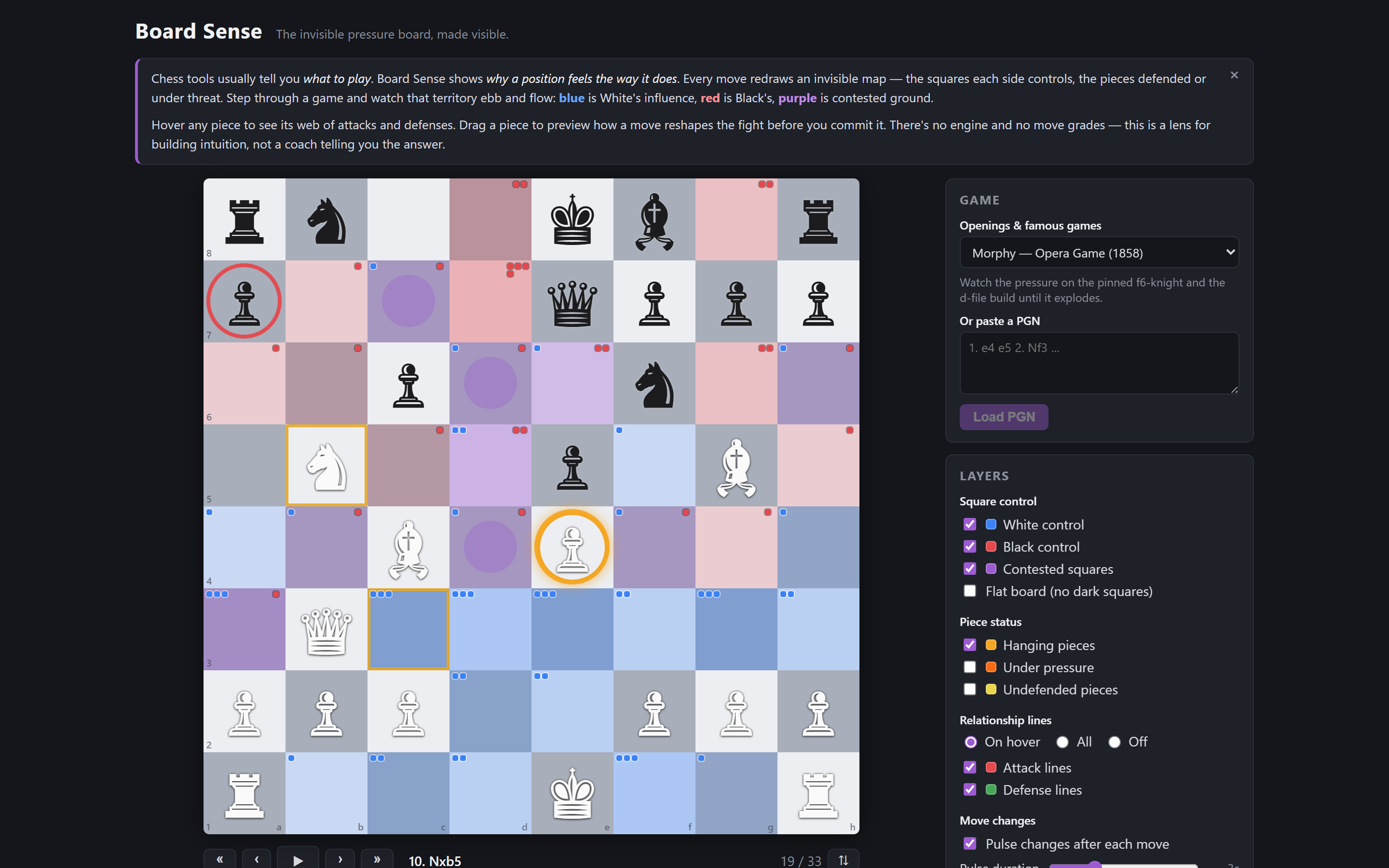
What it does
Chess has two boards: the physical one where the pieces sit, and the invisible network of what every piece controls, attacks, defends, and threatens. Board Sense visualizes that second board so beginner and intermediate players can feel the fight — watching pressure, coordination, and weak squares evolve move by move.
Current features
- Board + game replay — load any PGN, or pick from built-in openings and famous games; step with buttons, timeline scrubber, move list, or arrow keys
- Square control heatmap — empty squares tinted by who controls them (blue = White, red = Black, purple = contested), with corner pips counting controllers
- Piece inspector — hover or pin a piece to see everything it attacks, defends, is attacked by, and is defended by, as arrows plus a text breakdown
- Piece status layers — hanging pieces glow; optional layers for under-pressure and undefended pieces
- Move delta — after each move, newly attacked/defended/hanging pieces pulse and the panel lists exactly what the move changed
- Sandbox mode — fork the game at any point and preview the full pressure map live while dragging a candidate move
- Motif lines — pins, skewers, and discovered attacks drawn on hover or all at once, with a legal-control toggle that respects pins
- Real exchange evaluation — “under pressure” means the capture sequence actually loses material, not just that attackers outnumber defenders
- Share & import — every position gets a shareable URL, Lichess games paste straight in, and the board exports to PNG
Tech stack
- React 19
- TypeScript
- Vite
- chess.js
What I learned
The chess logic was the easy half — chess.js carries a lot of weight. The hard half was visual restraint: early versions drew every relationship at once and looked like spaghetti. Most of the design work went into deciding what not to show.
What's next
- Opening lessons with per-move annotations
- Natural-language explanations of why a square matters
Build logs
Board Sense v0.2: pins, skewers, and the math of "under pressure"
Motif detection, real exchange evaluation, share links, Lichess import — and a new home under Sun Labs.
Board Sense v0.1: the invisible pressure board, made visible
A chess visualizer that shows what every piece attacks, defends, and controls — move by move.